PicsArt MOD APK for iOS – Why It Doesn’t Work on iPhone & iPad (2026)
Looking for PicsArt MOD APK for iOS? It cannot be installed on iPhone or iPad because APK is an Android package format designed for Android devices, not iOS. This guide explains why PicsArt MOD APK doesn’t work on iOS, how you can use PicsArt on iPhone and iPad, and whether any legitimate alternative is available.
Can You Install PicsArt MOD APK for iOS? (Short Answer: No)
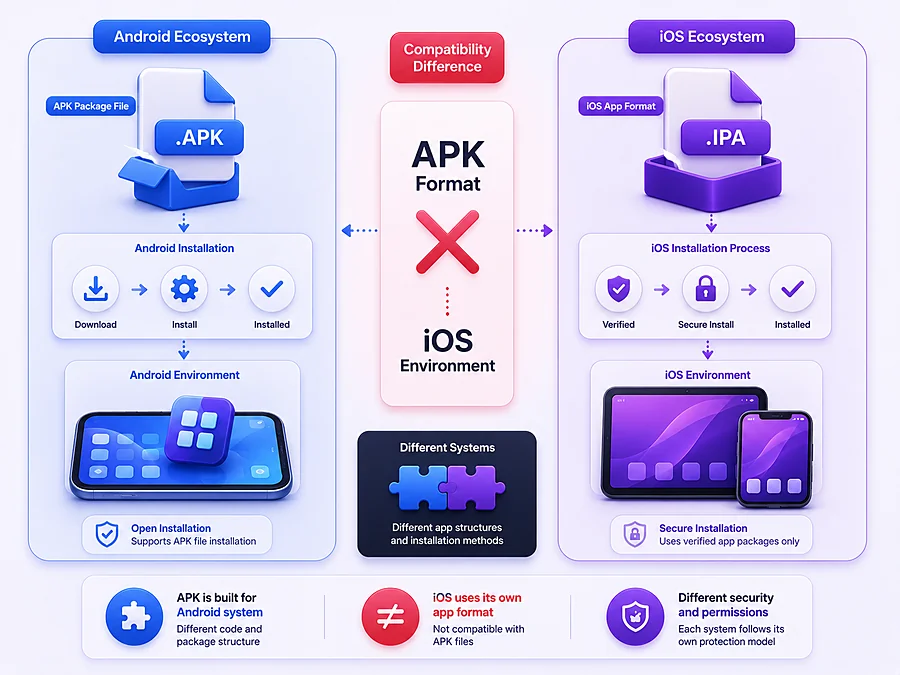
No. PicsArt MOD APK is packaged as an .apk file, which is Android’s application format. iOS uses a completely different system, and Apple’s devices aren’t designed to open or install APK files under any normal circumstance — regardless of what any download site or “iOS MOD APK” page claims.
Why APK Files Don’t Work on iPhone or iPad
Android and iOS are built on fundamentally different operating systems, and each one only recognizes its own app format. Android apps are packaged as APK files, while iOS apps are packaged and distributed through Apple’s own system, tied to Apple’s App Store and its code-signing requirements.
An APK file has no way to run on iOS — there’s no setting to enable, no app to install it with, no workaround built into the operating system itself. Any site claiming to offer a “PicsArt MOD APK for iOS download” is either mistaken about how these systems work, or knowingly serving an Android file to iOS visitors who won’t be able to use it.
What You Can Actually Do — Official PicsArt on iOS
Since the MOD APK isn’t an option, the real path for iPhone and iPad users is the official PicsArt app — and it’s a genuinely complete, actively maintained version, not a stripped-down alternative.
How to Download PicsArt from the App Store
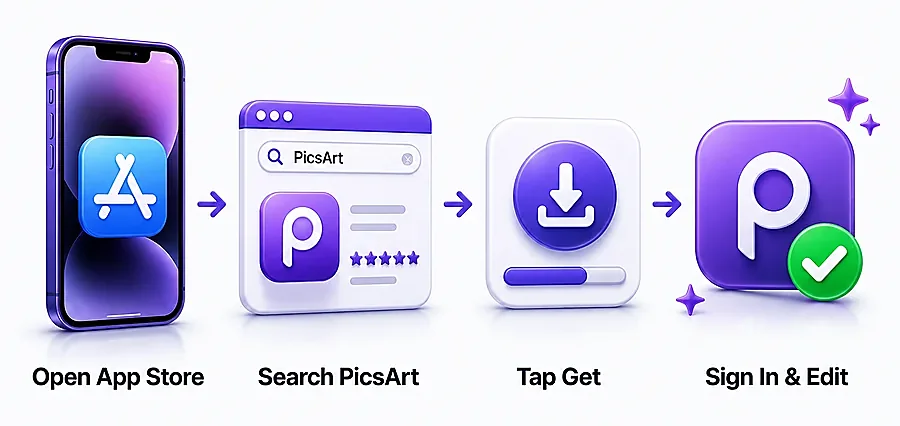
- Open the App Store on your iPhone or iPad.
- Search for “PicsArt” and select the official app (published by PicsArt, Inc.).
- Tap Get to download and install it — no account required just to install.
- Once installed, open the app and sign in or create a PicsArt account to start editing and syncing your projects.
PicsArt Pro Subscription on iOS (What It Unlocks)
The official iOS app includes the same free-to-paid structure as Android: a solid set of free tools out of the box, with premium filters, templates, AI features, and an ad-free experience available through a PicsArt Pro subscription.
You may still see this called “PicsArt Gold” in older guides — PicsArt has since folded Gold into Pro.
This subscription is managed directly through your Apple ID and works the same way it does on Android — same features, same pricing tier, just billed through Apple instead of Google Play.
Is There Any Way to Get MOD-Like Features on iPhone?
It’s a fair question — if MOD APKs unlock premium features on Android, is there any equivalent for iOS? The honest answer is: not safely, and not in any way we’d recommend.
Why Jailbreaking Isn’t a Safe Recommendation
The closest technical equivalent to “modding” an iPhone is jailbreaking — removing Apple’s built-in restrictions to install unauthorized software. In theory, this could allow sideloading modified apps similar to how MOD APKs work on Android.
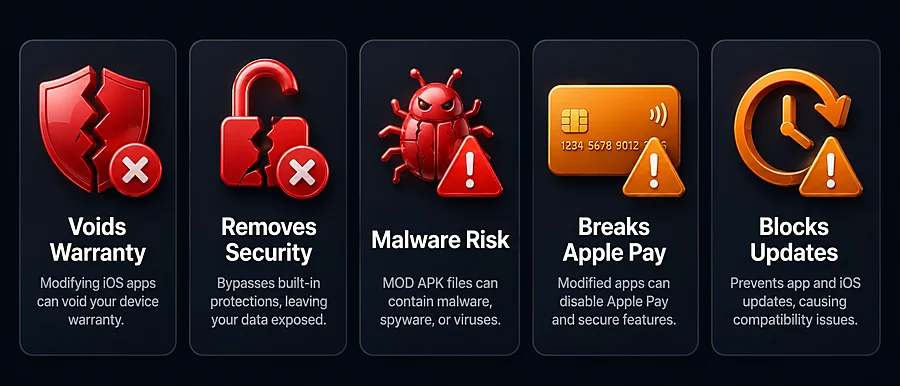
In practice, jailbreaking comes with real costs:
- Voids your device warranty — Jailbreaking can remove official support and may affect warranty coverage.
- Removes iOS security protections — It bypasses Apple’s built-in security systems, leaving your device and personal data more exposed.
- Increases malware risk — Modified app sources and unauthorized software can introduce malware, spyware, or other security threats.
- Breaks Apple Pay and banking features — Jailbroken devices may lose access to secure services like Apple Pay and some banking applications.
- Blocks future iOS updates — Jailbreaking can interfere with official iOS updates, causing compatibility issues and preventing your device from receiving important security improvements.
Even within the jailbreak community, finding a genuinely trustworthy, well-maintained modified version of a specific app like PicsArt is unlikely and carries real risk. This isn’t a path we’re going to walk you through, because the downsides consistently outweigh whatever premium filters you’d gain access to.
Legitimate Alternatives With Free/Unlocked-Style Features
If your goal is more editing power without paying for PicsArt Pro, several other apps offer strong free tiers on iOS without any of the risk above.
Apps like Snapseed (completely free, no paywall) and Canva (generous free tier) cover a lot of the same ground as PicsArt’s premium tools, legally and safely.
Our full PicsArt Alternatives guide breaks down which app fits which kind of editing need.
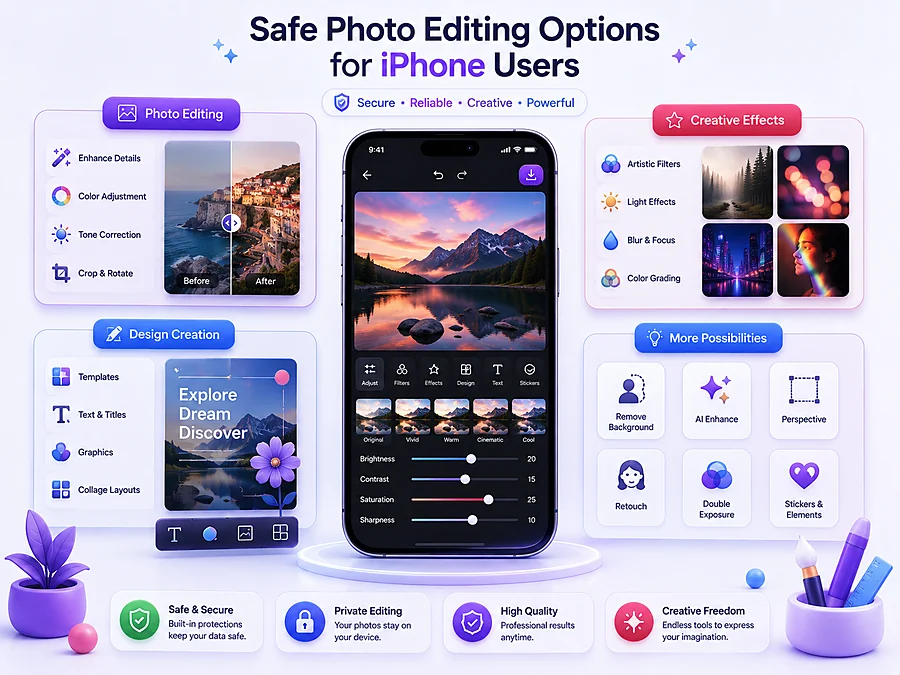
PicsArt for iOS vs Android — What’s Different?
|
Aspect |
iOS |
Android |
|---|---|---|
|
Core editing tools |
Full access |
Full access |
|
AI features |
Full access |
Full access |
|
Free vs Pro structure |
Same tiers, same features |
Same tiers, same features |
|
Subscription billing |
Through Apple ID |
Through Google Play |
|
MOD APK availability |
Not possible (APK is Android-only) |
Available, with the risks covered on our safety page |
|
App updates |
Automatic via App Store |
Automatic via Play Store (official app) |
The only meaningful difference isn’t the app itself — it’s that Android has a third-party MOD ecosystem around it, and iOS simply doesn’t, because Apple’s platform doesn’t allow the kind of sideloading that makes MOD APKs possible in the first place.
Frequently Asked Questions
Conclusion
PicsArt MOD APK simply isn’t possible on iPhone or iPad — it’s not a matter of finding the right download, it’s a basic limitation of how iOS works.
The good news is you’re not missing out on the app itself: the official PicsArt app on iOS has the same tools, AI features, and Pro subscription as Android, just installed and billed through Apple instead.
If you’re specifically looking for free, unlocked-style editing power without paying for a subscription, legitimate alternatives like Snapseed and Canva are a safer route than anything claiming to jailbreak or sideload your way around it.